
Introduction
If you’ve ever opened Google Maps, searched for your own business, and suddenly couldn’t find it, that moment hits hard. For a second, you think maybe it’s a glitch. Then you log into your dashboard and see the message—your listing has been suspended or disabled.
For many local business owners, this is stressful, confusing, and honestly a bit scary. Especially if Google has been a steady source of calls or walk-ins. A Google Business Profile suspension doesn’t just affect visibility online; it can disrupt real business activity overnight.
The good news is that most of these issues are fixable. It just takes the right approach, some patience, and a clear understanding of how Google looks at business profiles.
This guide explains how to fix suspended Google Business Profile issues in a straightforward way, without panic, pressure, or sales talk.
First, What Does “Suspended” or “Disabled” Actually Mean?
Google uses these terms differently, and it’s important to know which one you’re dealing with.
A Google Business Profile suspension usually means your listing still exists in your account, but it’s no longer visible to the public. Customers can’t see it on Maps or Search, but you still have access to it internally.
When a Google Business Profile is disabled, it’s often more serious. In many cases, the profile is completely removed from public view and sometimes even from the dashboard. This usually happens after repeated violations or a significant policy issue.
Both situations feel the same from the outside—your business disappears—but the recovery process can vary slightly.
Why Google Suspends Business Profiles (Often Without Warning)
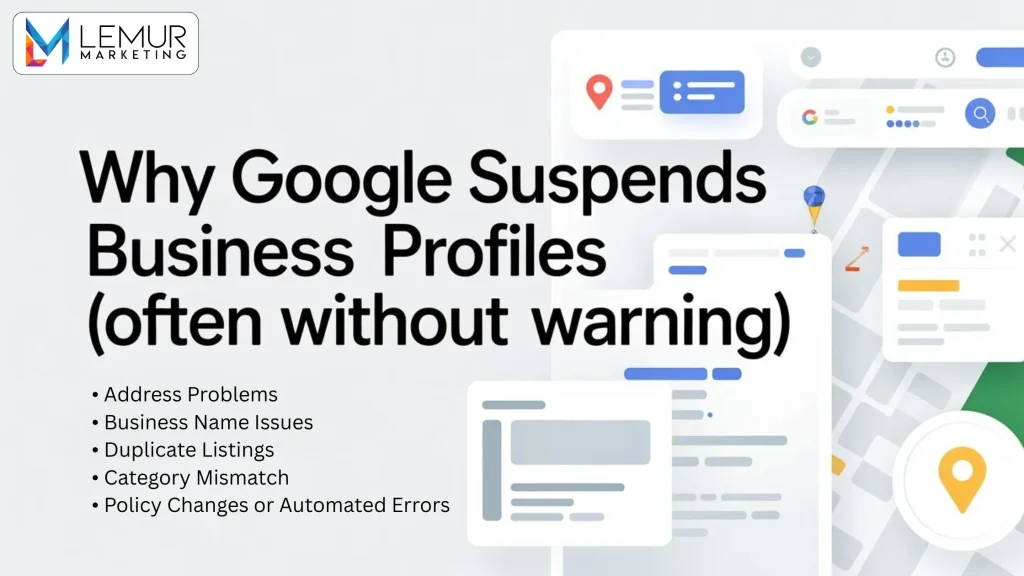
One of the most frustrating parts of this process is that Google doesn’t always explain clearly what went wrong. But over time, some common patterns show up.
Here are a few reasons profiles often get suspended:
a. Address Problems
Using a virtual office, shared workspace incorrectly, or displaying an address when you shouldn’t (especially for service-area businesses) can trigger a suspension.
b. Business Name Issues
Adding extra keywords, locations, or services into your business name is one of the most common causes. Even if it seems harmless, Google treats this as a violation.
c. Duplicate Listings
Sometimes businesses accidentally create more than one profile for the same location. Google sees this as misleading.
d. Category Mismatch
If your selected categories don’t match what you actually do, Google’s system may flag it.
e. Policy Changes or Automated Errors
Occasionally, profiles get caught by automated systems even when nothing obvious is wrong.
No matter the reason, fixing the issue always starts with understanding what Google might be reacting to.
How to Confirm the Status of Your Profile
If you suspect something is wrong, don’t rely only on search results.
Log into your Google Business Profile dashboard and look for alerts or warnings. Google usually sends an email as well, but those emails sometimes get overlooked or filtered.
Pay attention to the wording. If it says your profile is suspended versus disabled, that detail matters when you’re trying to fix suspended Google Business Profile issues correctly.
What Not to Do (This Matters More Than You Think)

When people panic, they often make things worse without realizing it.
Avoid these common mistakes:
- Creating a brand-new listing to “replace” the old one
- Making lots of random edits hoping something works
- Submitting multiple appeals in a short time
- Ignoring the guidelines and guessing
Google looks for consistency and compliance. Rushing usually sends the opposite signal.
How to Fix a Suspended Google Business Profile Step by Step
This is the part most people want clarity on.
Step 1: Carefully Review Google’s Guidelines
Even if you’ve read them before, read them again. Many suspensions happen because of small details people didn’t realize mattered.
Step 2: Audit Every Part of Your Profile
Check your:
- Business name
- Address
- Categories
- Service areas
- Website link
- Hours
- Description
Everything should reflect reality, exactly as your business exists offline.
Step 3: Correct Any Violations First
Don’t appeal until your profile is fully compliant. Google expects fixes before explanations.
Step 4: Gather Proof
This might include:
- Utility bills
- Business registration documents
- Lease agreements
- Official licenses
These help Google verify that your business is legitimate during Google Business Profile reinstatement.
Step 5: Submit the Reinstatement Request
Once everything is cleaned up, submit the official form. This is the formal process to reinstate Google Business Profile listings.
What to Write in the Appeal (Keep It Simple)
Think of the appeal as a factual explanation, not a debate.
Be clear about:
- What you corrected
- Why the information is accurate
- How your business operates
Avoid emotional language. Avoid blaming Google. A calm, straightforward explanation works best.
How Long Reinstatement Usually Takes
This varies. Some businesses hear back in a few days. Others wait weeks.
During this time:
- Don’t keep changing your profile
- Don’t submit multiple appeals
- Watch your email closely
Patience is part of successfully trying to fix suspended Google Business Profile issues.
What If Google Rejects the Appeal?
A rejection doesn’t automatically mean you’re done.
It usually means:
- Something is still non-compliant
- Documentation wasn’t strong enough
- An issue wasn’t addressed clearly
At this point, it’s important to slow down, review everything again, and only reapply once real corrections have been made.
How a Suspension Affects Local Businesses
When your profile disappears, the impact is immediate:
- No Google Maps visibility
- Fewer calls
- Less trust from new customers
- Drop in local search traffic
This is especially noticeable in communities like Des Plaines, where many people rely on Google Maps to find nearby services rather than browsing multiple websites. Local search visibility plays a big role in how people choose where to go.
Preventing Future Suspensions
Once your profile is restored, prevention becomes just as important as recovery.
Some simple habits help:
- Keep information consistent everywhere
- Avoid unnecessary edits
- Don’t add keywords to the business name
- Stay updated on guideline changes
- Manage reviews and updates responsibly
Stability builds trust with Google over time.
When It Makes Sense to Ask for Help
Some cases are straightforward. Others are not.
If your business operates in multiple locations, has a complex address setup, or has been suspended more than once, getting help with Google Business Profile Optimization in Des Plaines can reduce the risk of repeat issues and save time.
General local SEO resources are available on the Our homepage, which explains how local visibility and profile management fit into a broader strategy.
About Lemur Marketing
Lemur Marketing works with businesses facing real-world visibility challenges, including profile suspensions. The focus is on correcting issues properly and helping businesses stay compliant long term.
If you’re curious about the team behind the work, their background is available on the About Us page
And if you eventually need direct assistance, the Contact Us page is there when you’re ready.
Final Thoughts
Seeing your business disappear from Google is unsettling, but it doesn’t mean everything is lost.
Most businesses can fix suspended Google Business Profile problems by slowing down, understanding the guidelines, correcting issues carefully, and following the reinstatement process properly.
The key is not trying to outsmart the system, but aligning with it. Google is looking for clarity, consistency, and real businesses operating honestly.
If you take the time to do it right, reinstatement is often just a matter of patience—not luck.